What is a Digital Receipt and How is it Used? A Complete Guide for Cafes and Restaurants (2026)
May 7, 2026
A digital receipt is the electronic version of a paper restaurant bill — created, stored, and transmitted digitally by table-service businesses. It carries the same legal validity as a paper receipt; the only difference is that it exists entirely in a digital environment.
What is a Digital Receipt?
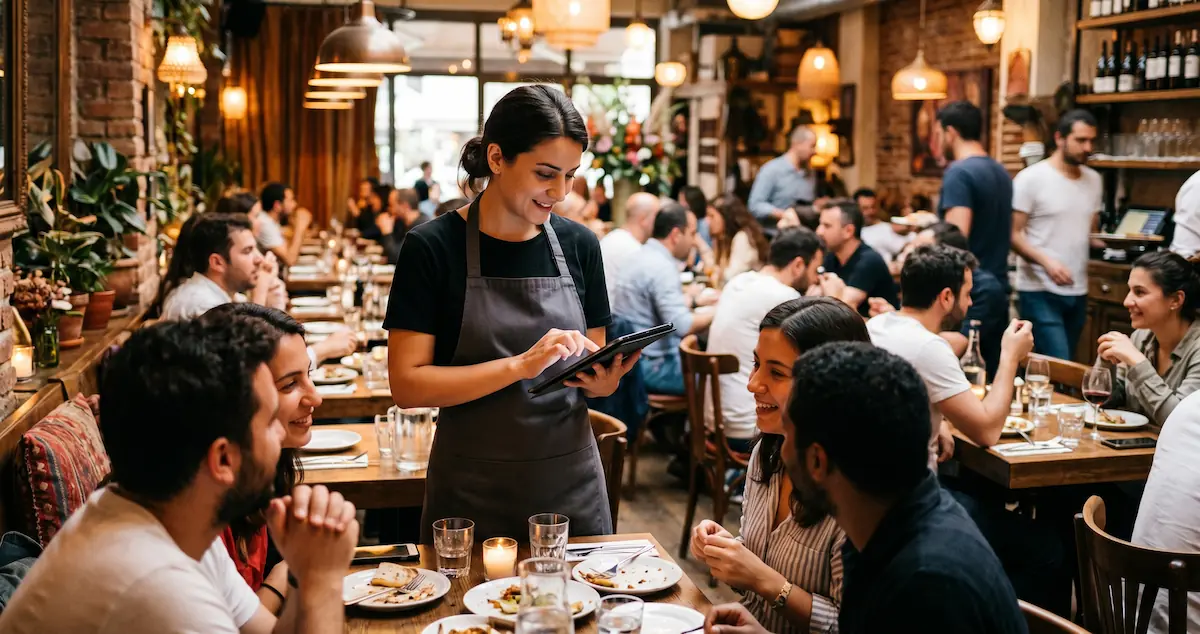
A digital receipt is the electronic counterpart of the traditional paper bill issued in restaurants, cafes, and bars. It is created, preserved, and — depending on local regulations — often transmitted to tax authority systems automatically. It is not a new type of document; it holds the same legal and operational validity as a paper receipt. The only difference is that it exists entirely in a digital ecosystem.
By replacing manual, paper-based tracking with a streamlined digital process, businesses ensure transparency, reduce errors, and stay compliant with modern tax regulations.
What is the Difference Between a Paper Receipt and a Digital Receipt?
Feature | Paper Receipt | Digital Receipt |
|---|---|---|
Issuance Method | Manually with a pen | Digitally via tablet / phone / POS |
Storage | Physical archive (prone to loss) | Securely stored in a digital environment |
Regulatory Compliance | Manual tracking | Automatic transmission (where applicable) |
Invoice Linkage | Manual | Automatically linked via UUID |
Risk of Error | High (handwriting, lost receipts) | Extremely low |
Paper/Printing Cost | Continuous operational expense | Zero |
Why the Transition to Digital Receipts?
The shift toward digital receipts is not just about technology; it's about efficiency and compliance.
For Compliance:
Many tax authorities globally are mandating electronic tracking of sales to prevent tax evasion and ensure transparent reporting. Depending on your jurisdiction, transitioning to a digital system may already be a legal requirement or will become one soon.
For Operational Efficiency:
Eliminates manual errors between order-taking and billing.
Accelerates the order-to-kitchen workflow.
Reduces paper waste and continuous printing costs.
Simplifies accounting and sales reporting.
What Does a Digital Receipt Document Look Like? What Must It Contain?
To ensure accuracy and compliance, a standardized digital receipt generally includes the following information:
Core fields:
The service business's name, title, and tax identification number.
The date, hour, and minute the document was issued.
A Universal Unique Identifier (UUID) and document number.
The name and quantity of the goods or services provided.
The total service amount, both excluding and including taxes.
The UUID of the linked e-Invoice or the cash register receipt.
Alongside these details, businesses can optionally include additional information (e.g., table number, waiter's name, order notes).
Note: A digital receipt is not a final tax invoice. It is an order document created while the customer is seated at the table. The moment payment is received, this document is automatically converted into a formal electronic invoice or receipt.
How Does a Digital Receipt Work? The End-to-End Process
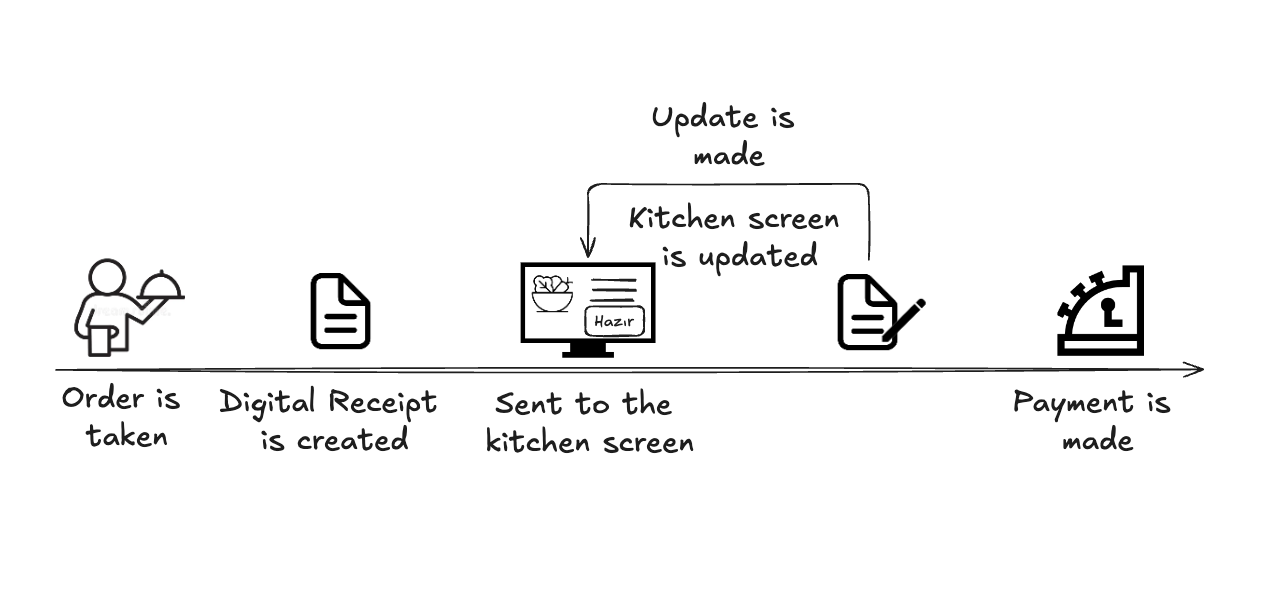
In practice, a digital receipt workflow operates as follows:
1. Order is taken
The waiter enters the order into the system via a tablet or smartphone.
2. Digital Receipt is generated automatically
The system instantly creates a standardized format, complete with a unique UUID number.
3. Order is transmitted to the kitchen
No need to run paper tickets; the order drops onto the kitchen display system (KDS) instantly.
4. Updates and modifications
Additional orders, cancellations, or modifications are instantly updated and logged via the system.
5. The receipt is closed
The moment payment is received, the digital receipt automatically transforms into an electronic invoice bearing the same UUID number.
6. Secure Archiving
The generated documents are securely stored in a digital environment, readily accessible for any audit or reporting needs.
How Does the Process Work with Kardo?
At Kardo, we manage this entire process for you from inception to completion, integrating your daily operations seamlessly with modern compliance standards.
Here is how the process unfolds:
Step 1 — Contact Kardo
You convey your operational needs to the Kardo support team. The status of your business and local requirements are evaluated comprehensively.
Step 2 — System Integration
Our team sets up the necessary integrations to ensure your POS system communicates flawlessly with digital invoicing networks.
Step 3 — Kardo Deployment
Kardo activates its proprietary POS and table management infrastructure. Henceforth, every order placed through Kardo automatically generates a compliant digital receipt.
Step 4 — Testing and live deployment
Following a brief testing phase post-integration, the system goes live. The entire sequence, from the moment waiters enter orders on the touchscreen to the moment the receipt is closed, operates autonomously.
To streamline your restaurant operations and transition to digital receipts, contact the Kardo team today: kardopos.com
Tangible Benefits of Using Digital Receipts for Your Business
Beyond fulfilling modern documentation standards, digital receipts deliver genuine operational advantages in practice:
Streamlined reporting and analytics: Which product was sold at what time, how much revenue each table generated, what the sales figures were during specific shifts—you can monitor it all in real-time from the Kardo dashboard.
Frictionless audits: You have instantaneous access to your entire order history, ensuring you can present your documentation flawlessly during any inspection.
Eco-friendly brand image: Transitioning to a paperless operation cultivates a positive perception among a sustainability-conscious clientele. You can proudly highlight this initiative on your menus or social media channels.
Frequently Asked Questions
Does a digital receipt replace an invoice?
No. A digital receipt is an order document generated while the customer is seated at the table. Upon receipt of payment, this document is converted into a formal receipt or electronic invoice.
Am I obligated to provide a paper printout of the receipt to the customer?
In most modern setups, electronic generation is sufficient. A paper printout is not strictly necessary unless specifically requested by the customer.
I own a self-service cafe; does this affect me?
Generally, digital receipt tracking specifically applies to businesses providing traditional table service. Self-service businesses typically generate immediate receipts at the counter.
How long does it take to implement the Kardo digital receipt system?
With your basic operational details ready, the entire setup and transition process can often be finalized within the same day through our streamlined onboarding process.
Can a digital receipt be canceled?
Yes. Erroneously issued receipts can be canceled within the system, and these cancellations are permanently logged for transparency.
Conclusion: Lead the Digital Transformation
Digitalizing your order and billing process is now an inevitable reality within the food and beverage sector. Looking at global technological trends, it is evident that digital receipts and e-invoicing will become the universal standard.
Leaving compliance and technological upgrades to the final hour equates to operational stress. With Kardo, the transition process is smooth, quick, and handled by experts.
Once the system is deployed, the sequence of order → kitchen → digital receipt → electronic invoice operates autonomously. Before long, you will find yourself wondering, "How did I ever manage this manually?"
To acquire more information regarding digital table management and Kardo integration:
👉 kardopos.com
Tags: digital receipt, e-adisyon, electronic receipt, cafe digital transformation, restaurant POS, Kardo POS integration, hospitality tech